Scan ISBNs, fetch metadata from Open Library, and organize your collection — all stored locally in a SQLite database. Built for Linux, designed for collectors.
Everything you need to catalog and manage your book collection
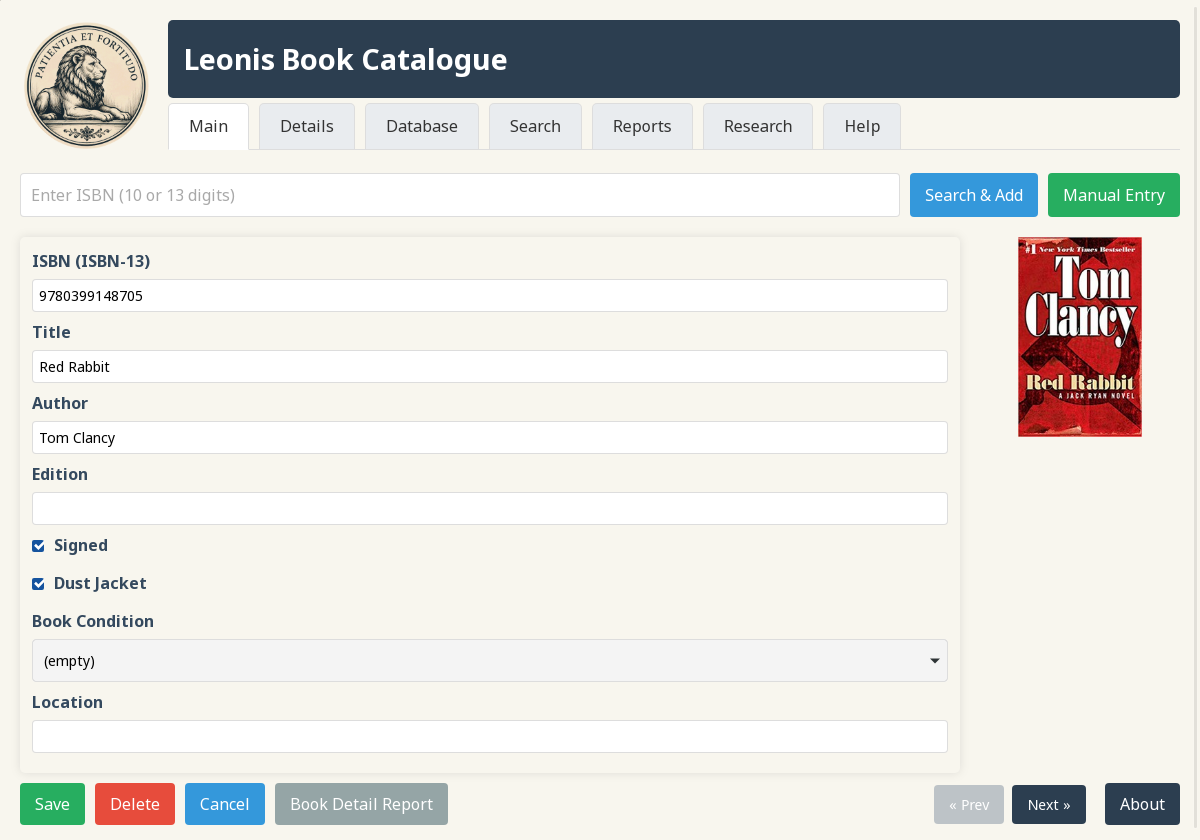
Automatically fetches book metadata from the Open Library API. Just enter an ISBN and get title, author, publisher, edition, and more.
Connect a USB barcode scanner and scan ISBNs directly. The scanner acts as a keyboard wedge — just scan and press Enter.
Full-featured web interface for browsing, searching, editing, and managing your collection. Built-in HTTP server with no external dependencies.
All data stored locally in leonis.db. No cloud dependency, no account required, complete ownership of your data.
Warns on duplicate ISBN entries before inserting. Choose to view existing records or add another copy.
Respects Open Library's request limits with built-in throttling. Be a good citizen of the open data community.
Search across title, author, publisher, genre, condition, value ranges, and more. Boolean AND/OR modes with partial matching.
Generate collection reports and export to PDF or CSV. Track your collection's value, category distribution, and more.
Track edition, printing, binding, condition, purchase cost, projected value, location, signatures, dust jackets, and notes.
A glimpse into the Leonis interface
Quick ISBN lookup with automatic metadata fetching from Open Library
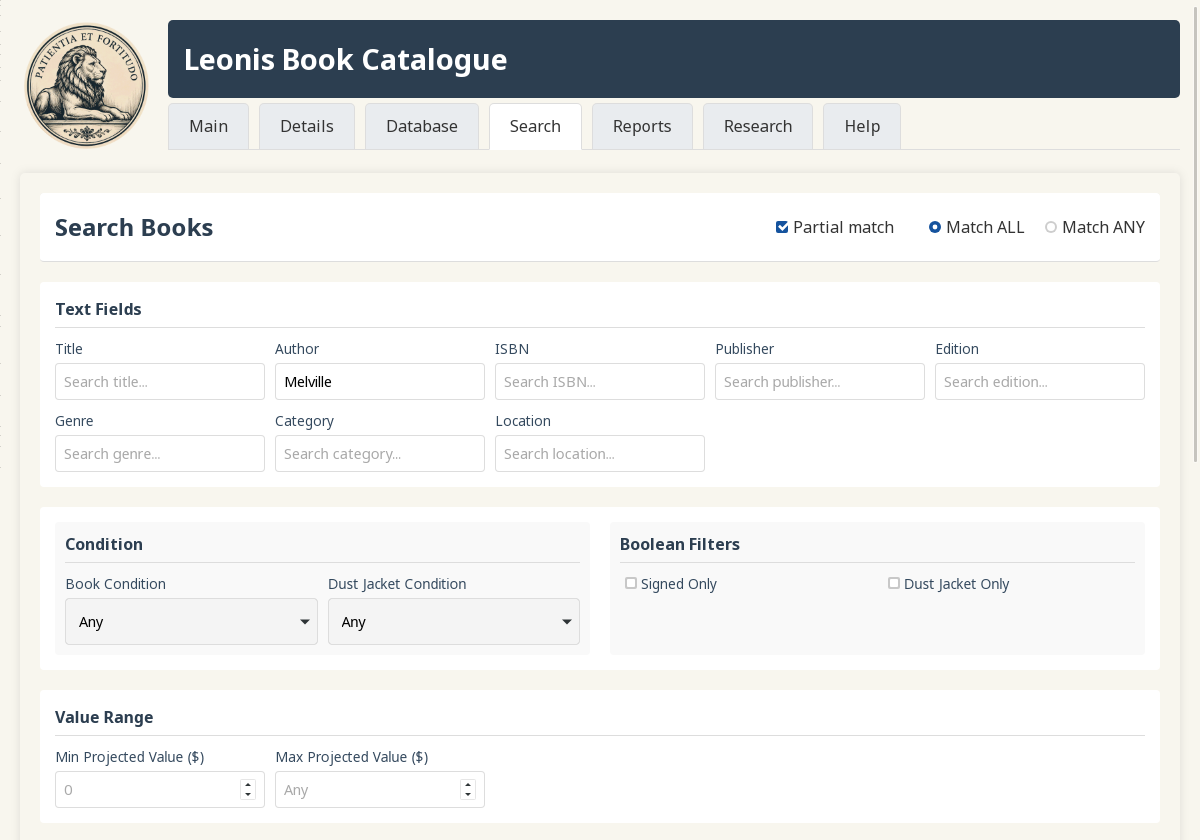
Powerful multi-field search with boolean logic and filters
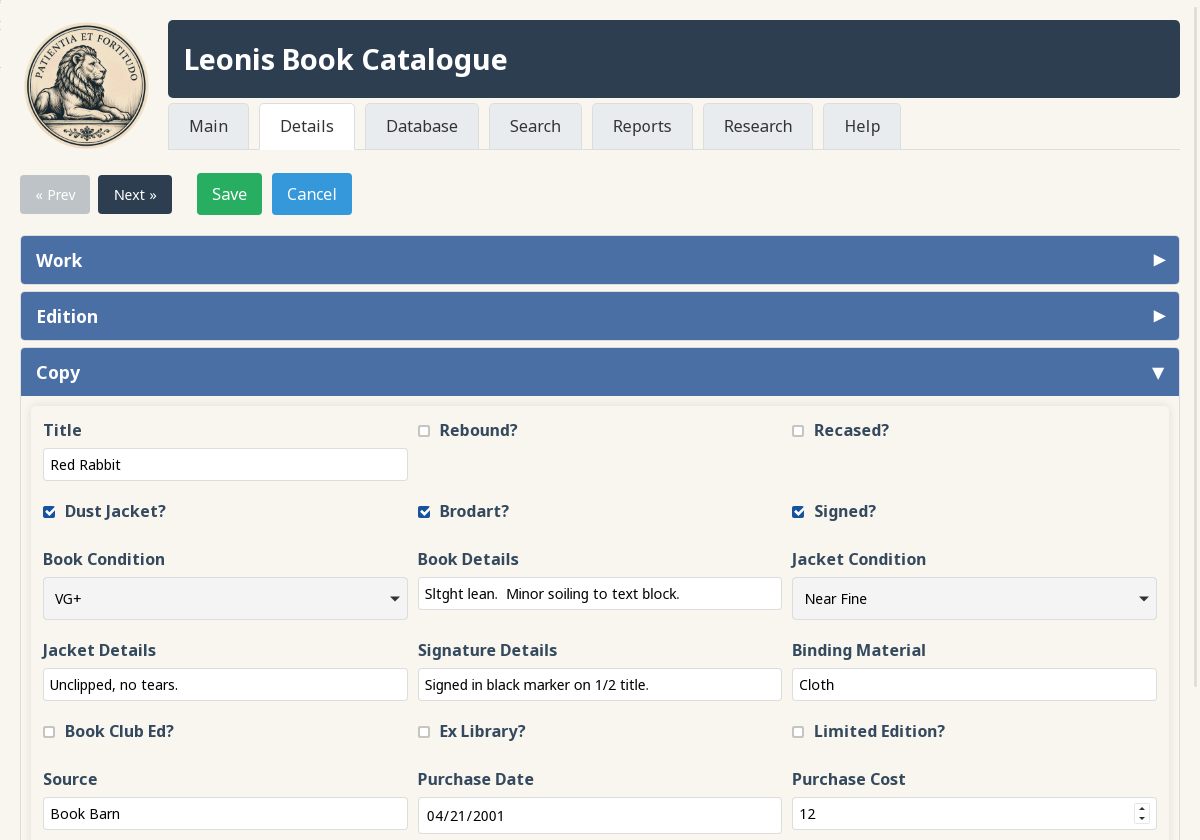
Comprehensive metadata editing organized by Work, Edition, and Copy
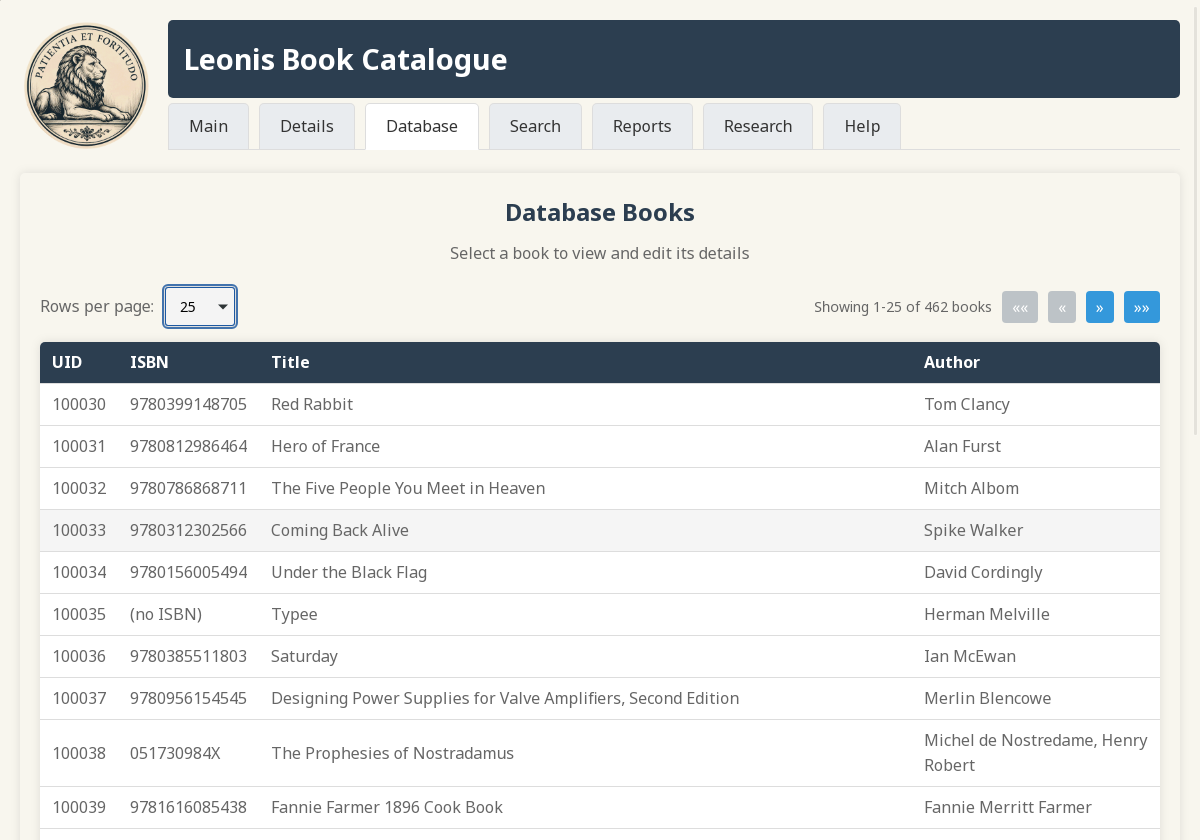
Browse all books with pagination and quick selection
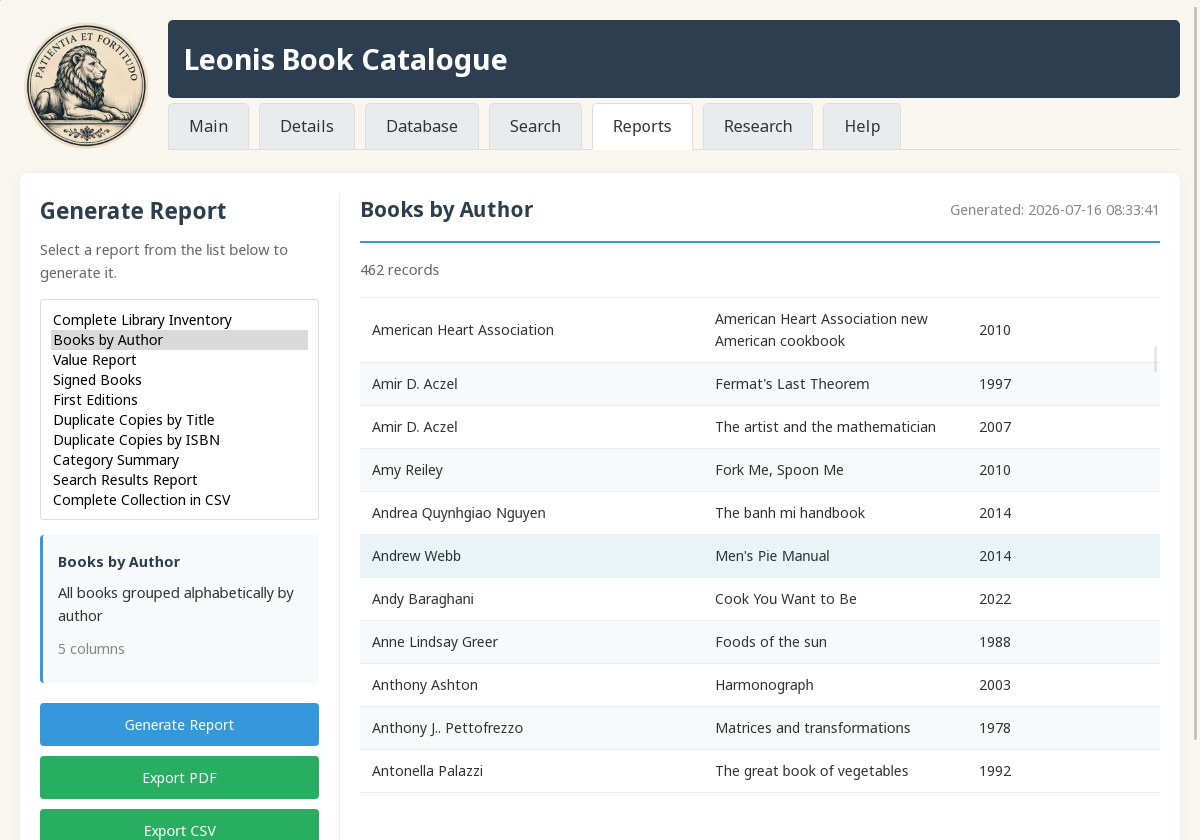
Generate and export collection statistics and summaries
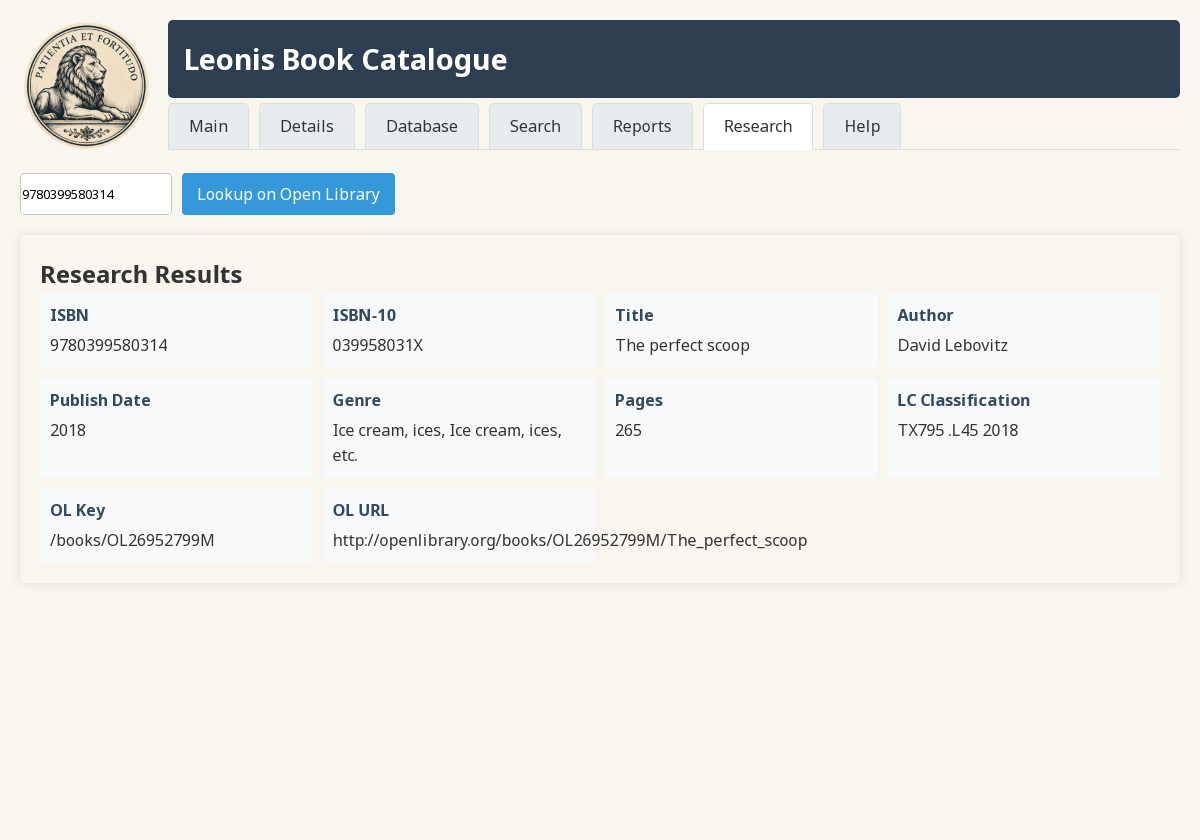
Look up ISBN information without adding to your collection
Built with performance and simplicity in mind
# Install dependencies (Ubuntu/Debian)
sudo apt install build-essential cmake pkg-config \
    libsqlite3-dev libcurl4-openssl-dev libcjson-dev \
    libmicrohttpd-dev libhpdf-dev libwebkit2gtk-4.1-dev

# Build
cmake -B build && cmake --build build

# Run
./build/leonisGet started with Leonis today
Pre-built packages available for Ubuntu, Fedora, and OpenSUSE.
Built and tested for Ubuntu 24.04 & 26.04
# Add the PPA
sudo add-apt-repository ppa:cbattles516/leonis

# Update and install
sudo apt update
sudo apt install leonis
Built for Fedora 43 & 44, tested on Fedora 44
# Enable the COPR repository
sudo dnf copr enable cbattles516/Leonis

# Install
sudo dnf install leonis
Available for OpenSUSE Leap 16.0 (via PPA)
# Add the PPA
sudo add-apt-repository ppa:cbattles516/leonis

# Update and install
sudo apt update
sudo apt install leonisWSL2 runs a full Linux environment, so the Install from Repository and Build from Source options on this page work unchanged inside WSL2.
Requires WSLg: Leonis's default interface is a WebKit GUI window, which needs a display server. WSLg, bundled with WSL2, provides it.
USB barcode scanners work as-is — no setup required. A scanner is just a keyboard to Windows, so it types into whatever has focus: click into the ISBN field in the Leonis window and scan — WSLg forwards your keyboard input into it. No USB passthrough needed.
# Install (Windows PowerShell)
winget install --interactive --exact dorssel.usbipd-win

# List devices; note the scanner's BUSID
usbipd list

# Share the scanner (elevated PowerShell); persists across reboots
usbipd bind --busid <BUSID>

# Attach to WSL2; re-run after every reboot or replug
usbipd attach --wsl --busid <BUSID>
Full usbipd usage: github.com/dorssel/usbipd-win
While attached, the scanner stops acting as a Windows keyboard, so the "works as-is" flow above won't apply.
Get the latest version with all features. Requires build tools and dependencies.
Inspired by the guardians of knowledge
Leonis is named after Patience and Fortitude — the two majestic marble lions that stand guard outside the New York Public Library. These iconic sculptures have welcomed millions of visitors for more than a century, symbolizing the qualities needed in the pursuit of knowledge.
The names were bestowed during the Great Depression by Mayor Fiorello La Guardia, who believed New Yorkers needed patience to persevere and fortitude to overcome adversity. These same qualities define the dedicated book collector — patiently building a collection over time, with the fortitude to hunt for rare finds.
Leonis was created for the home book collector. Whether your collection is 10 or 10,000 books, you can catalogue them, report on what you own, and better understand your collection. It's not trying to be a full Library Management System — it's focused on what individual collectors actually need.